How to Mix PreSonus StudioLive RML16AI In-Ear Monitors for a Studio-Quality Mix
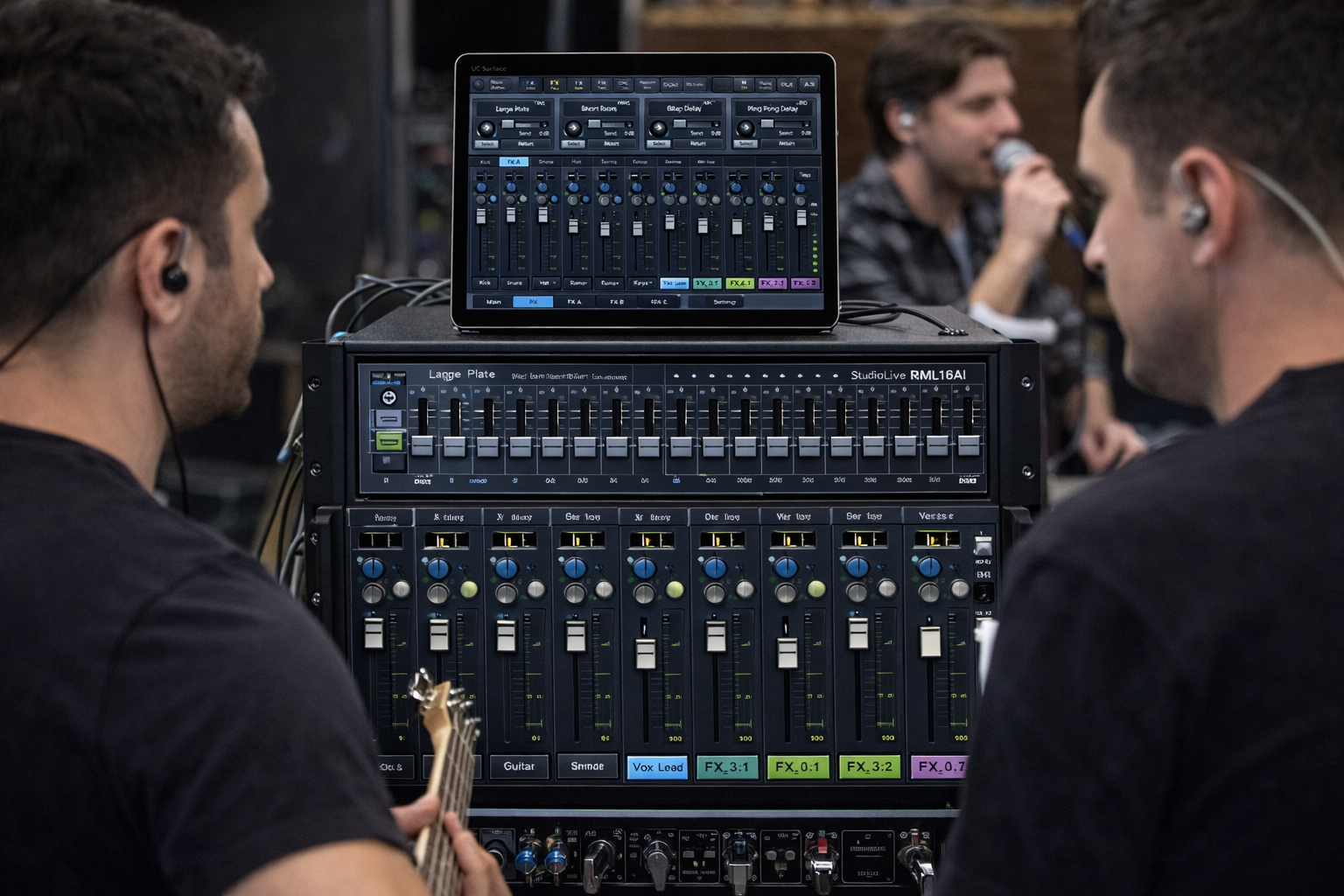
Mixing PreSonus StudioLive RML16AI in-ear monitors (IEM) correctly can dramatically improve how musicians hear themselves on stage. With the right gain staging, EQ, compression, and effects routing, the RML16AI can deliver a studio-quality monitor mix that reduces ear fatigue, improves pitch accuracy, and keeps performances consistent.
The key question when configuring IEM mixes is how you want vocal effects and processing to be handled.
Do you want:
- The same vocal effects the audience hears in the ears
- Separate effects just for the singer’s ears
If you are using the mixer primarily for stage monitoring and not running full front-of-house mixing, providing effects specifically for the singer’s in-ear monitors often produces better clarity and control.
For additional digital mixer workflow resources and live sound setup tips, visit
https://www.presonus.com/products/StudioLive-RML16AI
For live performance production insights and band setup resources, you can also explore the Gemini Live Music site’s main hub at
https://geminilivemusic.com/
Vocal Effects Routing for StudioLive RML16AI In-Ear Monitor Mixing
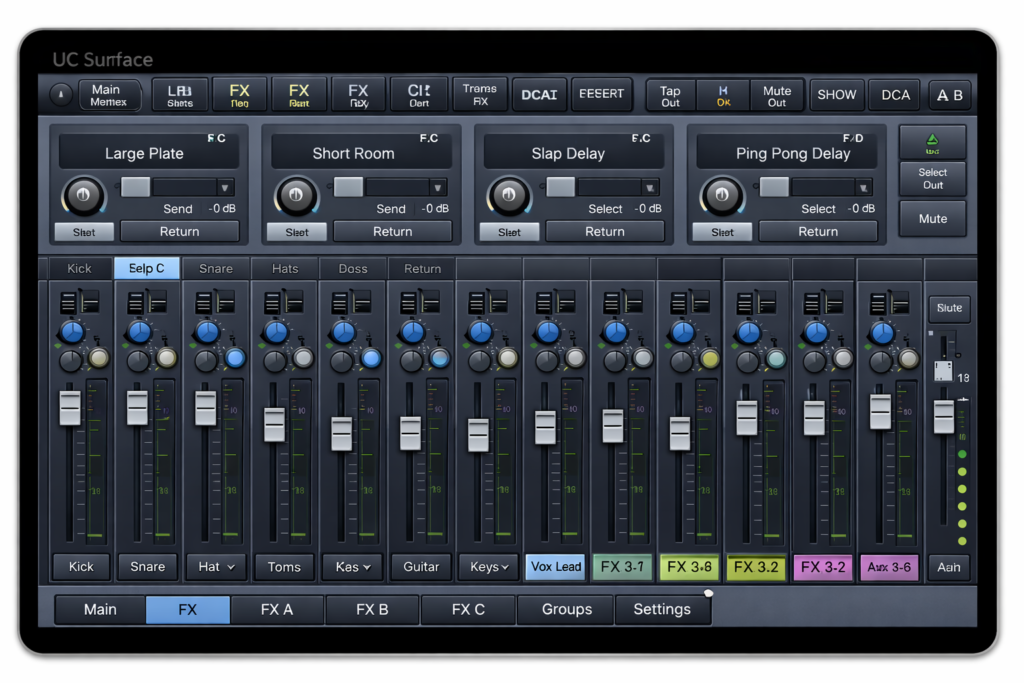
One of the first decisions when mixing IEMs is determining how vocal effects should be routed when configuring a PreSonus StudioLive RML16AI in-ear monitor mix setup.
The RML16AI includes four internal FX processors (FX A–D) that can be used for reverb, delay, and other vocal processing.
Two common approaches are used by live sound engineers.
Method 1 — Send the Main Vocal Effects to the In-Ear Mix
This is the most common configuration used by bands.
In this setup, the singer hears the same reverb or delay used in the main mix, but at a different level in their in-ear monitors.
Step-by-Step
- Assign an FX processor
Open UC Surface or the iPad control app.
Navigate to FX A–D and choose a reverb or delay preset. - Send the vocal channel to the FX
Select the vocal channel and raise the FX send knob. - Return the FX
The mixer automatically creates an FX return channel. - Add the FX return to the IEM Aux mix
Select the Aux mix assigned to the singer’s IEM and raise the FX return level.
Result
The singer hears their dry vocal plus the reverb return in their in-ear monitors.
Method 2 — Create Vocal Effects Only for the Singer’s In-Ear Mix
Sometimes singers prefer more ambience in their ears than what is sent to the audience.
In this case, you can dedicate an FX processor exclusively for the IEM mix.
Steps
- Assign a dedicated FX processor
- Send the vocal channel to that FX processor
- Mute the FX return from the Main LR output
- Raise the FX return level only in the IEM Aux mix
Result
Audience hears normal vocal
Singer hears additional reverb or delay only in their in-ear monitors
Vocal FX Layout for Multiple Singers Using the RML16AI
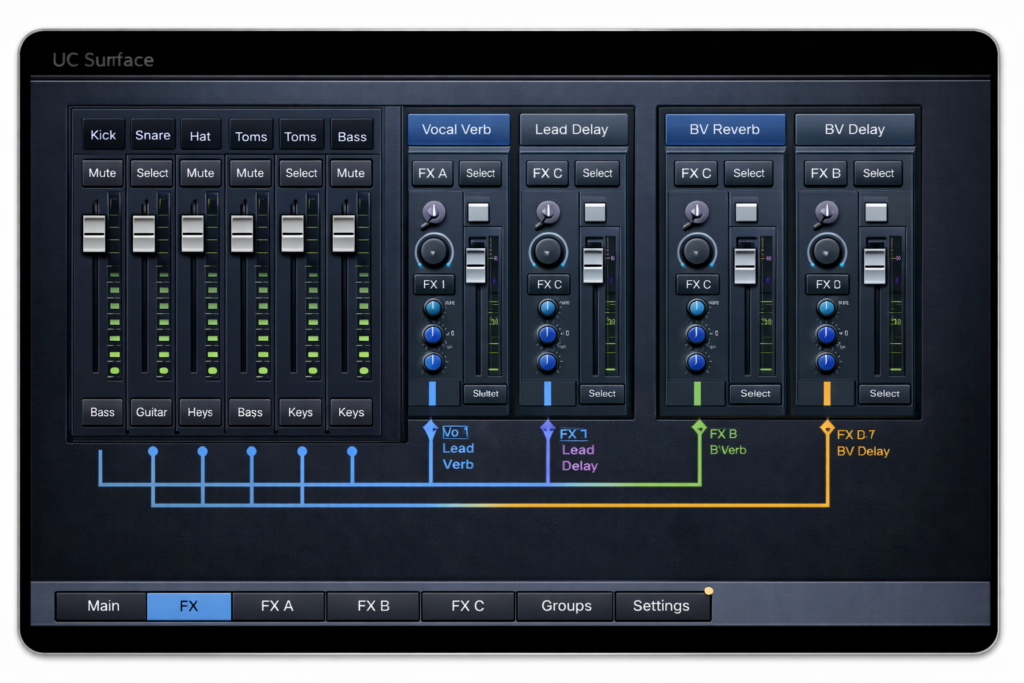
A practical way to support multiple vocalists is to treat each FX processor as a vocal effects bus.
This allows different singers to hear unique vocal effects without affecting the front-of-house mix.
Basic Concept
Use the four FX processors as “vocal flavor buses.”
Each singer sends their vocal channel to their preferred FX processor, and the FX return is fed only into their IEM mix.
Example Layout
FX Engine — Effect Type — Used By
FX A — Plate Reverb — Lead Vocal
FX B — Short Room Reverb — Backing Vocal 1
FX C — Vocal Delay — Backing Vocal 2
FX D — Slap Delay or Extra Reverb — Optional
This allows each vocalist to hear their preferred ambience while keeping the FOH mix clean.
Recommended FX Setup for Bands with Three Lead Vocalists

When all singers perform both lead and backing vocals, a hybrid FX approach works best.
Recommended Layout
FX A — Plate Reverb — All vocals
FX B — Vocal Delay — Shared for lead moments
FX C — Short Room Reverb — Optional use
FX D — Spare or special effect
Each singer then adjusts how much FX they hear inside their individual IEM Aux mix.
Example
Singer — Reverb Send — Reverb Level in IEM
Singer 1 — 20% — Medium
Singer 2 — 10% — Light
Singer 3 — 25% — Wet
Even though the FX processor is shared, the perceived vocal space in the ears is different.
Lead Vocal Compression Settings for In-Ear Monitor Mixing
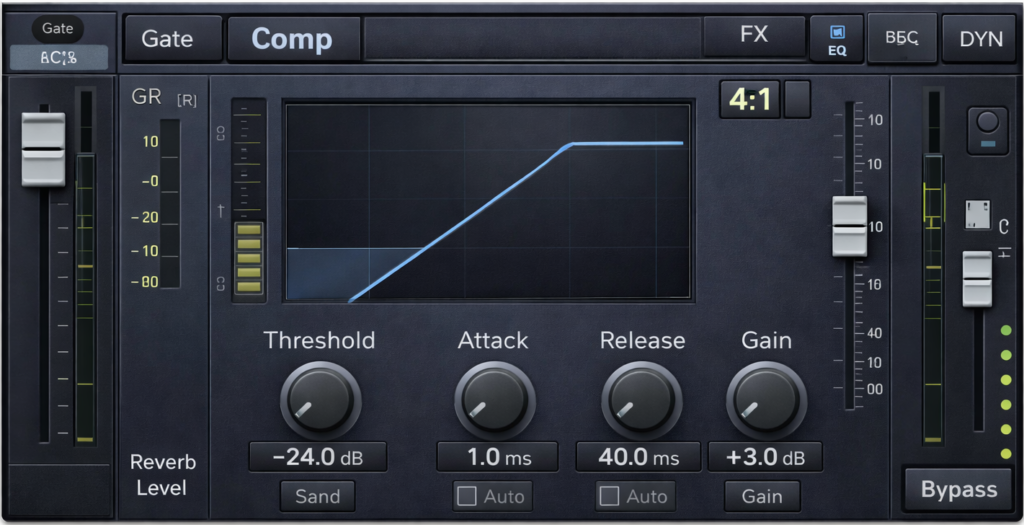
On the StudioLive RML16AI, compression is applied on the channel’s Fat Channel, meaning it normally affects both FOH and IEM mixes.
However, proper compression dramatically improves vocal clarity in the ears.
Basic Lead Vocal Compression Settings
Ratio
3:1
Threshold
Adjust until 3–6 dB of gain reduction occurs during loud passages.
Attack
10–15 ms
Release
70–120 ms
Make-Up Gain
Raise slightly so the vocal sits clearly in the mix.
Compression stabilizes vocal dynamics so singers hear a consistent vocal level.
Best Vocal Effects Settings for In-Ear Monitor Clarity
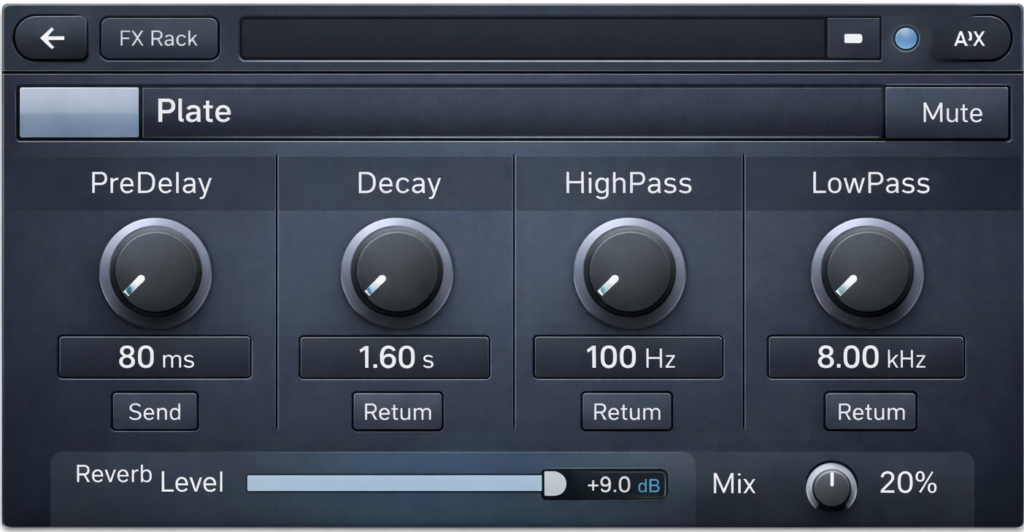
Most singers prefer light effects in their in-ear monitors so pitch and timing remain clear.
Typical Starting Settings
Reverb
Type: Plate
Pre-delay: 60–80 ms
Decay: 1.2–1.8 seconds
Vocal send: 10–20%
Delay (optional)
1/8 or 1/4 note delay
Feedback: 10–15%
Low level in the mix
Too much reverb can make it difficult for singers to stay on pitch.
EQ Settings for a Studio-Quality In-Ear Monitor Mix
Suggested Image Placement
Image: 31-band graphic EQ on digital mixer screen
Alt Text: PreSonus StudioLive 31-band graphic EQ adjustments for in-ear monitor mix clarity
Each Aux mix includes a 31-band graphic EQ used to shape the IEM sound.
Good starting curve
63 Hz — −3 dB
125 Hz — −2 dB
250 Hz — −2 dB
2 kHz — +1 dB
4 kHz — +2 dB
8 kHz — +2 dB
Result
Cleaner low end
Better vocal clarity
Reduced mud
Avoid boosting low frequencies excessively in IEM mixes.
Reducing Harshness and Ear Fatigue in In-Ear Monitors
Harsh frequencies are the most common cause of ear fatigue.
Most problematic frequencies occur between 2.5 kHz and 6 kHz.
Typical EQ cuts
3.15 kHz — −2 dB
4 kHz — −2 dB
6.3 kHz — −1 to −2 dB
Other improvements include
• reducing low-mid buildup around 250 Hz
• using stereo monitor mixes
• limiting reverb levels
• adding ambient crowd microphones
These adjustments create a smoother and more natural listening experience.
Perfect Gain Structure for the StudioLive RML16AI IEM Mix
Suggested Image Placement
Image: digital mixer gain meter showing healthy signal levels
Alt Text: PreSonus StudioLive RML16AI digital mixer gain staging levels optimized for clean in-ear monitor mixing
Proper gain staging is the most important step for achieving studio-quality IEM mixes.
Start With Unity Gain
Set channel faders and Aux masters to 0 dB.
Set Preamp Gain
Average levels around −18 dBFS
Peaks around −12 dBFS
Apply High-Pass Filters
Vocals — 100–120 Hz
Guitar — 100 Hz
Keys — 120 Hz
Overheads — 150 Hz
Build a Balanced Mix
Start each musician’s mix with
• their own instrument
• lead vocal
• kick and snare
Add other instruments lightly to prevent clutter.
Summary: Achieving a Studio-Quality IEM Mix with the RML16AI
A well-balanced in-ear monitor mix requires the following elements
• proper gain staging
• light vocal compression
• subtle vocal effects
• controlled EQ
• careful Aux mix balancing
When these elements are configured correctly, musicians hear a clean, controlled, studio-style monitor mix that improves performance and reduces fatigue.
If you perform regularly with live bands or professional stage setups, understanding in-ear monitor mixing and digital mixer workflows can significantly improve overall live performance quality. Learn more about live performance expertise and band production insights at
https://geminilivemusic.com/
Frequently Asked Questions About RML16AI In-Ear Monitor Mixing
How many IEM mixes can the StudioLive RML16AI support?
The mixer includes 16 FlexMix buses, allowing multiple mono or stereo in-ear monitor mixes depending on configuration.
Should reverb be louder in IEM mixes?
Usually no. Most singers prefer less reverb in their in-ears than in the FOH mix to maintain pitch accuracy.
Why do IEM mixes sometimes sound harsh?
Harshness usually comes from excess high frequencies between 3–6 kHz or poor gain staging.
What is the ideal vocal compression level for in-ear monitors?
Most engineers aim for 3–6 dB of gain reduction on vocal peaks.
This guide was created to provide practical live sound engineering techniques for musicians and audio engineers using the PreSonus StudioLive RML16AI digital mixer. Content reflects commonly used professional live-sound practices for gain staging, EQ, compression, and in-ear monitor mixing.
Content reviewed March 2026.